Create Your Temple Nile Account and Unlock Your First-Deposit Reward

Registration at Temple Nile Casino takes under three minutes. You fill in your details, verify your email, complete KYC once, and gain access to 2,000+ games alongside the current UK welcome offer: 50 Free Spins on Big Bass Bonanza after your first deposit. This guide walks through every step - from the registration button to your first spin.

50 free spins ยท no wagering
Sign Upwith bonus

Why Register at Temple Nile

An account gives you full access to the Temple Nile platform: 2,000+ instant browser games, live dealer tables from Evolution Gaming, and the Temple Bazaar loyalty programme. Without an account, you can browse but not play for real money or claim the welcome bonus.

Key reasons players register today:

  • 50 Free Spins on Big Bass Bonanza (first deposit, no wagering on winnings)
  • 300 Temple Tokens credited on your first deposit
  • Access to the daily Bonus Wheel after your first deposit
  • Participation in the Pharaoh's Weekly Cash Giveaway

The platform holds a UKGC licence (account number 52894) and an MGA licence (MGA/B2C/370/2017), so registration is subject to the strictest UK player-protection standards.

What You Need Before You Start

Temple Nile accepts players who meet all of these conditions:

Requirement Detail
Age 18 or over
Residence Great Britain (for UK welcome offer)
Valid email Used for account confirmation
Phone number Required in registration form
Payment method UK debit card, e-wallet or bank transfer
Minimum first deposit ยฃ20

You will also need to complete KYC (identity verification) before your first withdrawal. Preparing documents early avoids delays when you request a payout.

Open Registration Form

Finding the Register Button

On desktop: the 'Register' button sits in the top-right corner of every page, next to the 'Login' link. On mobile: the same button appears in the header - the site auto-adapts to your screen without a separate app (no native Android app; iOS app available on the App Store for iOS 14.0+).

If you access Temple Nile on a tablet or phone browser, the registration flow is identical to desktop. All form fields are touch-optimised and no features are removed on smaller screens.

Registration: Step by Step

  1. Temple Nile homepage with Register button

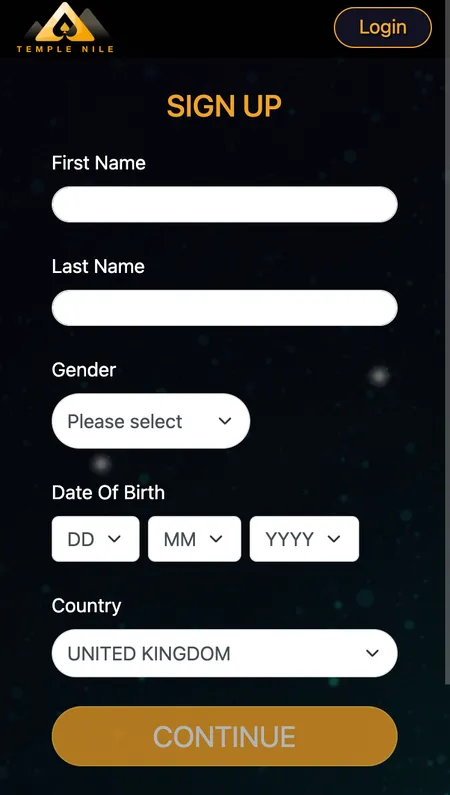
    Step 1 - Personal details. Click 'Register' in the top-right corner. Enter your first name, last name, date of birth and country of residence. Names accept up to 30 characters, no special characters.

  2. Temple Nile contact details form

    Step 2 - Contact and address. Fill in your email address, phone number, home address, city and postcode. Use your real address - it must match your KYC documents later.

  3. Temple Nile username and password screen

    Step 3 - Account credentials. Choose a username (4-20 characters, no spaces), set a password (8-64 characters, no spaces) and select your currency. UK players use GBP. Accept the General Terms to complete registration.

Confirming Your Account

After submitting the form, Temple Nile sends a confirmation link to your registered email. The link has a limited expiry window - click it promptly. If it does not arrive within a few minutes, check your spam folder before requesting a resend.

Common issues at this stage:

  • Email not received - check spam/junk; add the Temple Nile sender to your contacts
  • Expired link - request a new one from the login page
  • Name error - names must not exceed 30 characters and must contain no special symbols

Once confirmed, your account is active and you can log in immediately.

Temple Nile email confirmation screen

Check your inbox for the confirmation email. Click the link to activate your account before it expires.

The Registration Form in Detail

The three-step form collects the following data:

Step 1 - Identity

  • First name and last name (max 30 characters each, no special characters)
  • Date of birth
  • Country of residence

Step 2 - Contact

  • Email address
  • Mobile phone number
  • Full home address (street, city, postcode)

Step 3 - Credentials

  • Username: 4-20 characters, no spaces
  • Password: 8-64 characters, no spaces
  • Currency selection: GBP, EUR, CAD, NOK, NZD, SEK
  • Agreement to General Terms (required to proceed)

There is no social login or one-click sign-up. All fields are mandatory. Your chosen currency cannot be changed after registration, so UK players should select GBP.

Start Registration

Registering via the iOS App

Temple Nile has an iOS app available on the App Store (requires iOS 14.0+). The registration process inside the app follows the same three-step flow as the website. The interface scales well on iPhone and iPad, and all form fields behave identically to desktop.

There is no native Android app. Android users access Temple Nile through a mobile browser - the site is fully responsive and the complete game catalogue, cashier and account tools are available without any functionality loss.

Your First Login

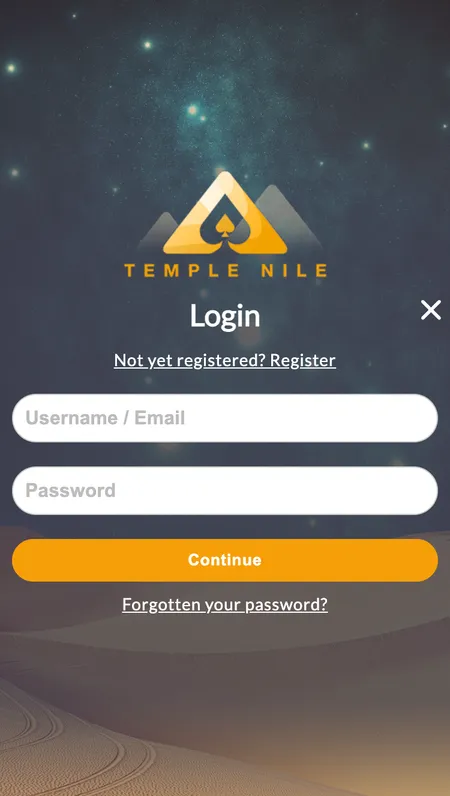
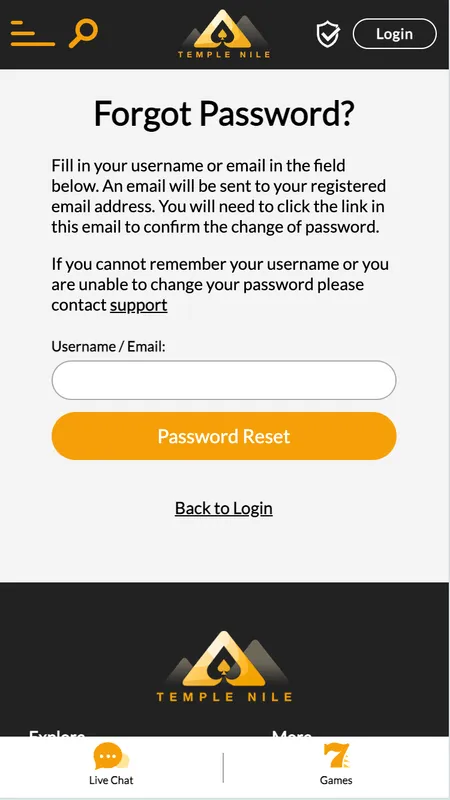
After email confirmation, use your username (or email) and password to log in. The 'Login' button is in the top-right corner, next to 'Register'. If you forget your password, the 'Forgot password?' link sends a reset link - with a limited expiry window - to your registered email.

Your personal dashboard gives you access to:

  • Account balance
  • Bet and transaction history
  • Cashier (deposit and withdrawal)
  • Responsible gambling tools
  • KYC document upload

Accessing Temple Nile on Different Devices

Device Access method Full functionality
Desktop (Windows/Mac) Browser Yes
iPhone/iPad App Store app or browser Yes
Android phone/tablet Mobile browser Yes
Smart TV/console Not supported No

All HTML5 games load directly in the browser - no plugin or download required on any device. Your login credentials work across all devices simultaneously.

Password Security and Account Protection

Temple Nile recommends a password between 8 and 64 characters. Longer passwords significantly reduce the risk of unauthorised access. Avoid reusing passwords from other sites.

The platform uses SSL encryption across all pages, meaning your personal and financial data is protected in transit. KYC documents are stored separately from account data and are encrypted at rest.

If you suspect unauthorised access, contact live support immediately via the 24/7 chat - accessible through 'Contact Us' in the footer.

Create Your Account Securely

KYC Verification: What to Prepare

KYC (Know Your Customer) is required before your first withdrawal. UK regulations under the UKGC licence mandate identity checks for all players.

Documents typically required:

  • Proof of identity: passport, driving licence or national ID card
  • Proof of address: utility bill or bank statement (issued within the last 3 months)
  • Payment method verification: card scan or bank statement showing the deposit method

Upload documents through the verification tab in your personal dashboard. Support may request a selfie or timestamped documents. All scans must be clear and show matching names.

Uploading documents immediately after registration means your first withdrawal is not delayed.

Temple Nile KYC document upload screen

Upload your identity and address documents through the verification tab in your account dashboard.

Common Registration Problems

'Username already taken' - choose a different username; usernames must be unique across the platform.

'Email already registered' - an account with this email exists. Use the password reset flow or contact support if the account is not yours.

'Phone number already in use' - each phone number can be linked to one account only.

Network error during form submission - refresh and resubmit; do not submit twice as duplicate submissions may trigger a review.

KYC document rejected - ensure scans are clear, unedited and match the name on your account exactly.

If none of the above resolve your issue, the 24/7 live chat connects you with a support agent in minutes.

Managing Your Profile After Registration

Once registered, your account dashboard lets you update preferences, set responsible gambling limits and review your activity. Key tools:

  • Deposit limits: set daily, weekly or monthly caps; reductions apply immediately, increases take 24 hours
  • Reality checks: session reminders at 30, 60 or 90 minutes
  • Time-out: pause play from 24 hours up to 6 weeks
  • Self-exclusion: block your account for 6 months to 5 years, or permanently via GamStop

You can also opt in to marketing preferences and notification settings from this area. Promotional notifications for competitions like the Pharaoh's Weekly Cash Giveaway are sent through your chosen contact preference.

For a full overview of bonuses and how they interact with your account, visit the dedicated promotions page.

Registration and the Welcome Bonus

Completing registration unlocks the current UK welcome offer. Here is how it works:

  1. Register a new account (first account only, UK residents, 18+)
  2. Complete KYC verification
  3. Make your first deposit of at least ยฃ20
  4. Wager at least ยฃ10 of that deposit on slots
  5. Receive 50 Free Spins on Big Bass Bonanza (valid 72 hours)
  6. Winnings from Free Spins are credited as cash - no wagering requirement - up to a maximum of ยฃ100

Important: Free Spins are forfeited if you withdraw your cash balance before completing the ยฃ10 slot wager. The minimum withdrawal is ยฃ20.

For detailed terms on every active promotion, visit the homepage where the current offers are listed in full.

โœ“

Winnings from the 50 Free Spins are credited as cash with no wagering requirement - you can withdraw immediately once the minimum ยฃ20 threshold is met, subject to KYC completion.

โœ•

The welcome offer is available to new UK players only. Players must not have an existing account and must not have another active bonus at the time of registration. Free Spins expire 72 hours after crediting.

Register today, make your first deposit of ยฃ20 or more, and claim your 50 Free Spins on Big Bass Bonanza with no wagering on winnings.

FAQ: Temple Nile Registration

How long does registration take?

The three-step form takes roughly two to three minutes. You then need to confirm your email before your account is fully active.

Can I register on mobile without the app?

Yes. The Temple Nile website is fully responsive and works in any mobile browser. Android users must use the browser; iOS users can also download the app from the App Store (iOS 14.0+).

What currency should UK players choose?

Select GBP during Step 3 of registration. Currency cannot be changed after the account is created.

Why is my phone number already in use?

Each phone number can only be linked to one Temple Nile account. If you have registered before, use the existing account or contact support.

How soon do I need to complete KYC?

You can deposit and play without KYC, but the first withdrawal requires verified documents. Uploading them immediately after registration avoids delays later.

What documents are accepted for KYC?

Passport, driving licence or national ID for identity. A utility bill or bank statement (under 3 months old) for proof of address. Scans must be clear and names must match exactly.

I did not receive my confirmation email - what should I do?

Check your spam or junk folder first. If it is not there, request a new confirmation email from the login page. Add the Temple Nile sender address to your contacts to prevent future filtering.

Can I have more than one account?

No. Temple Nile permits one account per person. Duplicate accounts may be closed and associated bonuses forfeited under the platform's terms.

What is the minimum age to register?

18 years old. The platform operates under a UKGC licence and enforces strict age verification as part of KYC.

Is the welcome bonus available if I register from outside the UK?

The 50 Free Spins welcome offer is specifically for UK residents. Players from other eligible countries may see a different offer or none at all - check the Promotions page after registration.

What happens to my Temple Tokens if I self-exclude?

If you activate a time-out, self-exclusion or if your account is inactive for 30 days (no login or qualifying deposit), Temple Nile may reset your Temple Token balance to zero.

Where can I set deposit limits?

Deposit limits are managed inside your account dashboard under the responsible gambling section. Reductions apply immediately; increases take 24 hours to activate.