Temple Nile Mobile Experience — Full Casino Access from Your Pocket

Temple Nile Casino does not lock you to a desktop. The mobile experience gives UK players instant access to 2000+ games, live dealer tables, deposits and withdrawals - all from a browser or the iOS app. No compromises on features, speed or security.

50 free spins · no wagering
Sign Upwith bonus

Why Mobile Matters for Temple Nile Players

Speed and stability are the two things that matter most when you play on a phone. Temple Nile's mobile platform is built entirely on HTML5, which means games load directly in your browser without plugins, downloads or waiting screens. Whether you are on a commute or relaxing at home, the session picks up exactly where you left off.

The mobile interface keeps the full Egyptian theme intact. Navigation is clean: slots, live casino, table games and the cashier are reachable within two taps. The lobby adapts to screen size automatically, showing the same three display modes (grid, list, tiles) that the desktop version offers.

For UK players specifically, mobile access includes all regulatory tools - deposit limits, reality checks and self-exclusion - available directly from the account menu.

Play at Temple Nile

Key Mobile Features at a Glance

Feature Detail
Game technology HTML5, no Flash required
Devices supported iOS 14.0+, Android (browser)
Games on mobile 2000+ slots, 60+ live games
Account management Full cashier, KYC upload, limits
Bonus access All active promotions including 50 Free Spins offer
Security SSL encryption, licensed by UKGC (account 52894)
Payment methods Visa, Mastercard, Skrill, Neteller, Trustly, Apple Pay

Every feature available on desktop is also available on mobile. The only exception is that the iOS native app requires iOS 14.0 or later; Android users play through the mobile browser, which is fully optimised.

Temple Nile mobile lobby on a smartphone screen

The mobile lobby shows game categories, search bar and account controls in a single scrollable view.

How to Download Temple Nile on Your Device

There is no APK file to hunt for or sideloading required. The process differs slightly between platforms.

iOS (iPhone and iPad): The Temple Nile app is available on the App Store. Search for 'Temple Nile Casino', tap Get, and install as you would any standard app. iOS 14.0 or newer is required. Once installed, log in with your existing credentials - everything syncs automatically.

Android: There is no native Android app. Open Chrome or any modern mobile browser, go to the Temple Nile website, and the site detects your device and switches to mobile layout instantly. No settings to change, no permissions to grant for sideloading.

Both routes give you the same game library, the same cashier and the same security layer. The browser approach on Android is intentional - it avoids APK risks entirely.

Installing Temple Nile on Mobile: Step by Step

  1. App Store search for Temple Nile

    Open the App Store (iOS) or your mobile browser (Android) and navigate to Temple Nile Casino.

  2. Temple Nile install button on mobile

    Tap Get on iOS to install, or simply open the site URL on Android - the mobile layout loads automatically.

  3. Temple Nile login screen on mobile

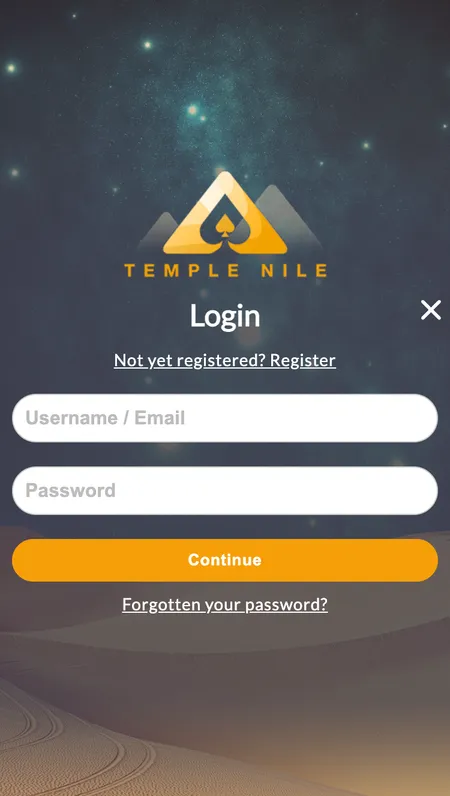
    Enter your username and password. If you are a new player, tap Register and complete the three-step sign-up form.

  4. Temple Nile mobile game lobby

    Browse the lobby by category or use the search bar. Tap any game thumbnail to launch it instantly in your browser.

Register at Temple Nile

Registering Through the Mobile App

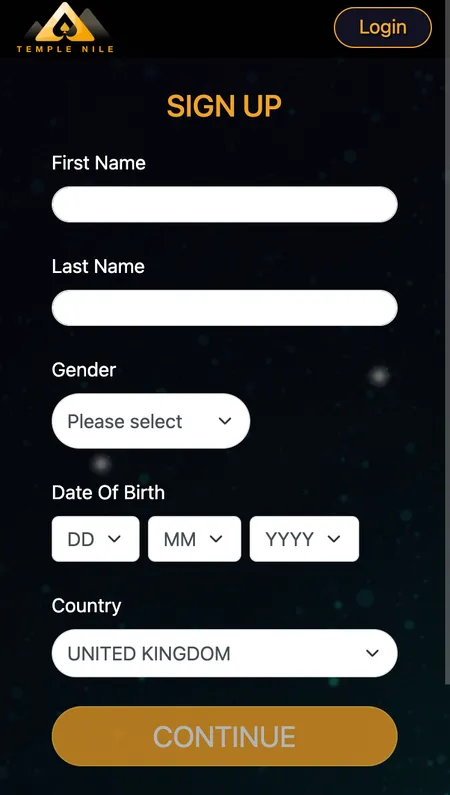
The registration flow on mobile is identical to desktop: three steps, roughly two minutes.

  • Step 1: First name, last name, date of birth, country of residence.
  • Step 2: Email address, phone number, home address, city, postcode.
  • Step 3: Choose a username (4-20 characters, no spaces), password (8-64 characters) and account currency (GBP for UK players).

After registration, upload your KYC documents through the account menu - a photo ID and proof of address. Doing this immediately avoids delays when you request your first withdrawal. The mobile upload interface accepts photos taken directly with your phone camera.

UK players must also confirm they are residents of Great Britain to activate the welcome offer.

System Requirements

Requirement iOS Android (Browser)
Minimum OS iOS 14.0 Android 8.0+ (recommended)
Browser Safari or Chrome Chrome, Firefox, Edge
Internet 4G or Wi-Fi 4G or Wi-Fi
Storage App: ~80 MB No app install needed
Camera For KYC document upload For KYC document upload

The HTML5 engine keeps data usage reasonable. A typical slot session uses about 5-15 MB per hour. Live dealer streams use more bandwidth; a stable 4G connection or Wi-Fi is recommended for Evolution Gaming and Pragmatic Play live tables.

Bonuses Available on Mobile

All promotions from the bonuses page are accessible on mobile without restrictions.

The current UK welcome offer gives new players 50 Free Spins on Big Bass Bonanza after making a first deposit of at least £20 and wagering £10 on slots from that same deposit. The free spins are credited within 72 hours and winnings go directly to your cash balance (no wagering requirement on the spins themselves, capped at £100 total winnings).

The daily Bonus Wheel is also available on mobile. After your first deposit, you get one free spin per day on the prize wheel - rewards vary and some may require a new deposit to activate.

Temple Tokens accumulate the same way on mobile as on desktop: £10 wagered on slots earns 2 tokens, which can be exchanged in the Temple Bazaar for tech prizes, vouchers or extra spins.

Claim Your Free Spins

Logging In and Managing Your Profile

The login page on mobile is straightforward. Enter your username and password; the session stays active while the browser tab is open. Closing the tab logs you out automatically, which is a security feature rather than a bug.

From the account menu on mobile you can:

  • Check your real money and bonus balance separately
  • Review transaction history and bet history
  • Set or adjust deposit limits (daily, weekly, monthly)
  • Enable reality check reminders (30, 60 or 90 minutes)
  • Initiate a timeout from 24 hours up to 6 weeks
  • Request self-exclusion through GamStop

Increasing a deposit limit takes 24 hours to take effect; decreasing one is immediate. These rules apply on mobile and desktop equally.

Temple Nile account settings on mobile

The mobile account panel gives access to limits, verification status and transaction history without switching to desktop.

Payments on Mobile

Depositing and withdrawing on mobile uses the same methods as desktop. For UK players:

Method Deposit Withdrawal Processing
Visa (debit) Yes Yes Instant / 2-5 days
Mastercard (debit) Yes Yes Instant / 2-5 days
Skrill Yes Yes Instant / up to 24 hours
Neteller Yes Yes Instant / up to 24 hours
Trustly Yes No Instant
Apple Pay Yes No Instant
Paysafecard Yes No Instant

Minimum deposit and withdrawal: £20. Temple Nile applies no transaction fees. E-wallet withdrawals process within 24 hours after KYC is complete; card and bank transfers take 2-5 business days. Credit cards are not accepted - UKGC regulations require debit cards only.

Apple Pay works natively on iOS, making it the fastest deposit method for iPhone users.

App Updates and Maintenance

The iOS app updates through the standard App Store mechanism. Enable automatic updates in your iPhone settings to stay current without manual checks. Browser-based access on Android always loads the latest version automatically.

If you experience login errors after an update, clear your browser cache or reinstall the iOS app. Most update-related issues resolve within one session. Temple Nile's support team is available 24/7 via live chat if problems persist.

Casino Games on Mobile: Slots, Live Tables and More

The full catalogue of 2000+ games is available on mobile. Slots from NetEnt, Play'n GO, Microgaming, Blueprint Gaming and 80+ other providers load without delay. Titles like Book of Dead, Starburst, Bonanza and Eye of Horus work identically on a 6-inch phone screen as on a 27-inch monitor.

Live dealer games from Evolution Gaming and Pragmatic Play stream in HD. Multiple camera angles are available. The chat function with dealers works through the mobile interface. Live blackjack, roulette, baccarat, Dream Catcher and Deal or No Deal are all accessible.

The Drops and Wins promotion from Pragmatic Play runs on mobile too - daily and weekly cash prizes drop randomly during qualifying slot sessions, including mobile ones.

For players interested in the full games catalogue, the mobile lobby offers the same filters by provider, game type and RTP range.

Browse Temple Nile Games

Mobile Security and Data Protection

Temple Nile holds a UKGC licence (account number 52894) and an MGA licence (MGA/B2C/370/2017). Both regulators require strict security standards. The mobile site and iOS app use SSL encryption for all data in transit - login credentials, payment details and KYC documents are encrypted end to end.

Game results on mobile use the same certified RNG as desktop, audited by eCOGRA, iTechLabs and Quinel. The average published RTP is 95.91% across the catalogue.

Sessions on mobile are protected by the same fraud detection systems as desktop. If the platform detects unusual activity, it may request re-verification before processing a withdrawal.

✓

Temple Nile Casino is fully licensed by the UK Gambling Commission (account 52894) and Malta Gaming Authority. SSL encryption and certified RNG apply equally to mobile and desktop sessions.

✕

There is no native Android app for Temple Nile. Android users must access the casino through a mobile browser. Credit cards are not accepted from UK players - only debit cards and e-wallets.

Temple Nile App - Frequently Asked Questions

Is there a Temple Nile app for Android?

There is no native Android app. Android players open the Temple Nile website in Chrome or Firefox and the site loads in a fully optimised mobile layout. No APK download or sideloading is needed.

How do I get the Temple Nile iOS app?

Search for Temple Nile Casino in the App Store on your iPhone or iPad. The app requires iOS 14.0 or later. Download and log in with your existing account details.

Can I claim the welcome bonus through mobile?

Yes. The 50 Free Spins welcome offer for UK players is available on mobile. Deposit at least £20, wager £10 on slots from that deposit, and the free spins are credited for Big Bass Bonanza within 72 hours.

Are all games available on mobile?

All 2000+ games including slots, live dealer tables and scratch cards are accessible on mobile. Live streaming from Evolution Gaming and Pragmatic Play works on both iOS and Android browsers.

What is the minimum deposit on mobile?

The minimum deposit is £20, the same as on desktop. This applies to all payment methods including Visa debit, Mastercard debit, Skrill, Neteller, Trustly and Apple Pay.

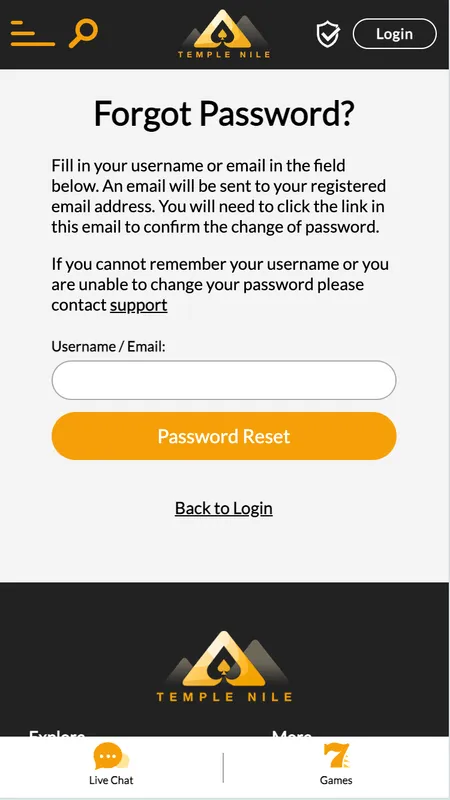
How do I reset my password on the mobile app?

Tap the forgotten password link on the login screen. A reset link with a limited time window is sent to your registered email address. Click the link and set a new password of 8-64 characters.

Does Temple Nile have responsible gambling tools on mobile?

Yes. Deposit limits, reality checks (30/60/90 minutes), session limits, timeouts and self-exclusion are all available from the account menu on mobile. Changes to limits follow the same rules as desktop - reductions are immediate, increases take 24 hours.

How fast are withdrawals from the mobile app?

Withdrawal speed depends on the method. E-wallets like Skrill and Neteller process within 24 hours. Visa and Mastercard debit withdrawals take 2-5 business days. Your first withdrawal may take longer while KYC verification is completed.

Can I earn Temple Tokens while playing on mobile?

Yes. Temple Tokens accumulate at the same rate on mobile as on desktop. Every £10 wagered on slots earns 2 tokens, which you can spend in the Temple Bazaar on tech prizes, vouchers or extra spins.

What should I do if the app crashes or a game freezes?

Close and reopen the browser tab or restart the iOS app. Clear the browser cache if the issue persists. Temple Nile live chat support is available 24/7 to assist with technical problems.